New Meta Ads Manager is built in →

Know your real profit.
Every order. Every ad.

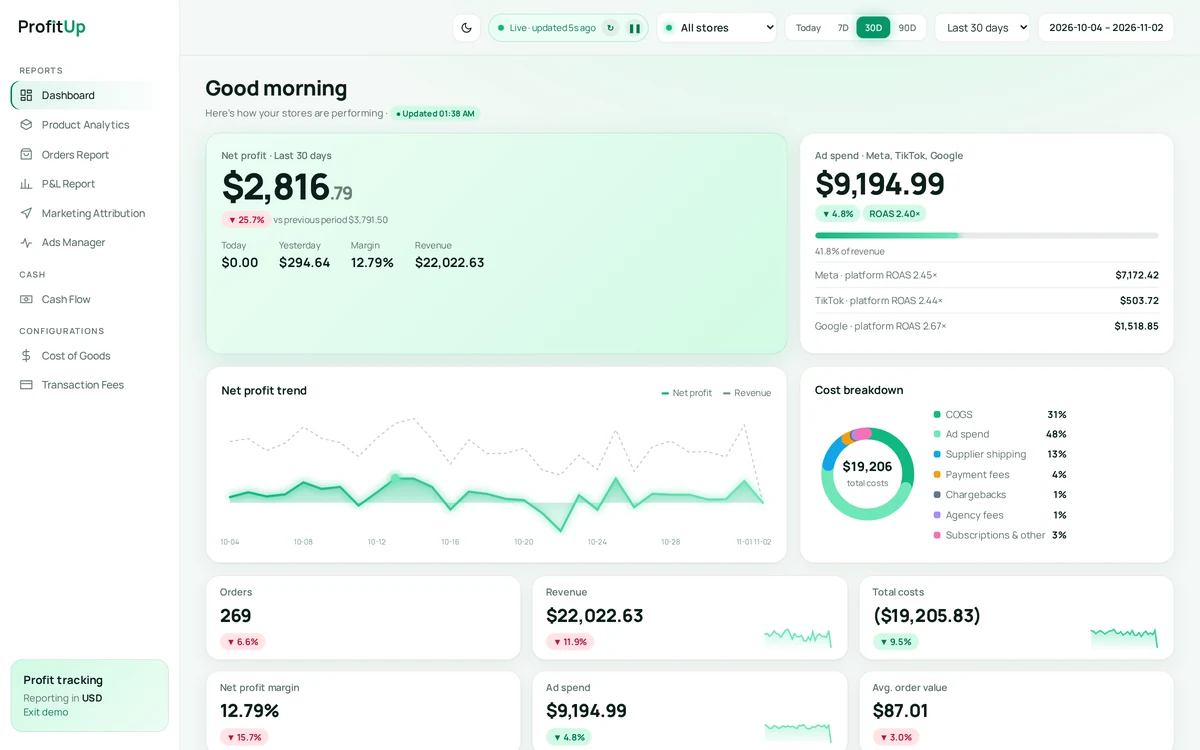
ProfitUp turns Shopify sales, product costs and Meta ad spend into one live Net Profit number — and lets you manage your ads right beside it.

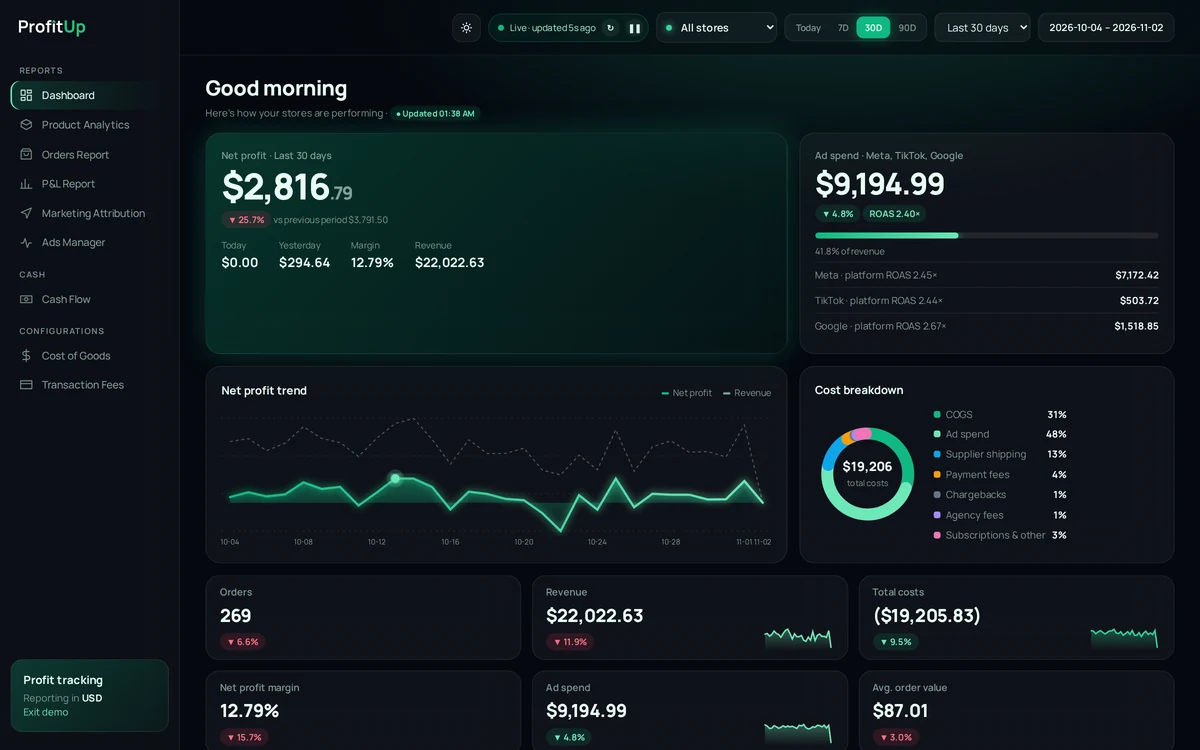
ProfitUp dashboard showing sample demo dataProfitUp dashboard showing sample demo data
Net profit · 30d$2,816.79sample data
Margin12.79%
Ad spend · Meta$7,172ROAS 2.45×
Live · updated just now

Screens show sample data from the ProfitUp demo

Connects with

ShopifyMeta AdsTikTok AdsSoonSnapchat AdsSoonGoogle AdsSoonPinterest AdsSoonShopifyMeta AdsTikTok AdsSoonSnapchat AdsSoonGoogle AdsSoonPinterest AdsSoon

One dashboard. Every number that matters.

Tap a metric to see where it lives in ProfitUp.

Net Profit

Revenue minus every cost, live per order.
$2,816.79example · demo store, last 30 days
ProfitUp dashboard showing sample demo dataProfitUp dashboard showing sample demo data
Screenshot and values from the ProfitUp demo store (sample data, not a real shop)
Features

Built for profit, not vanity metrics

Every number a Shopify owner needs — in one beautiful dashboard.

Net profit engine

Your true profit, per order

Revenue minus COGS, ad spend, shipping, payment fees, chargebacks and subscriptions — computed live.
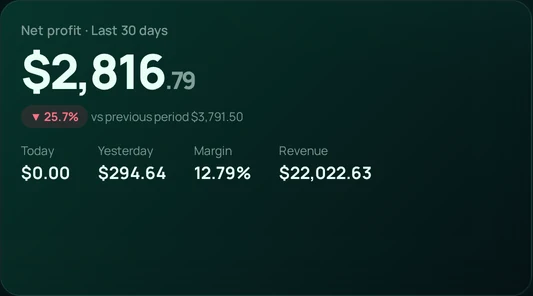
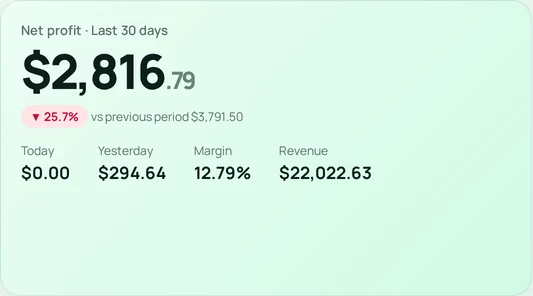
Net profit card, sample dataNet profit card, sample data
Meta Ads Manager

Run ads next to your margin

Campaigns, budgets, pause/resume and ad-account billing — without opening Facebook.

Prospecting · Broad
Retargeting 7d
Creative test C
Sample campaigns
Multi-store

All stores, one view

Store AStore BStore CAll stores
P&L

Accountant-ready P&L

Data you can trust

Missing costs flagged, never zero

If a product has no cost, ProfitUp tells you — it never silently inflates profit.

Mobile

Pro on your phone

Light & dark mode, 44px tap targets, built for checking profit on the go.

Meta Ads Manager

Manage your Meta ads next to your profit

Everything below works inside ProfitUp once you connect your Meta ad account with Facebook login.

01

See every campaign at a glance

Spend, results, cost per result, ROAS, impressions and clicks for the dates you pick — drill into ad sets and ads.

Campaigns table with spend, results and ROAS (sample data)Campaigns table with spend, results and ROAS (sample data)
02

Switch ads on or off

One switch per campaign, ad set or ad. ProfitUp asks you to confirm before anything changes in Meta.

On/off switches for campaigns (sample data)On/off switches for campaigns (sample data)
03

Edit budgets in seconds

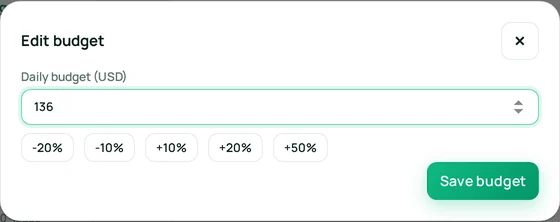
Change daily or lifetime budgets, or nudge them with quick −20% to +50% steps.
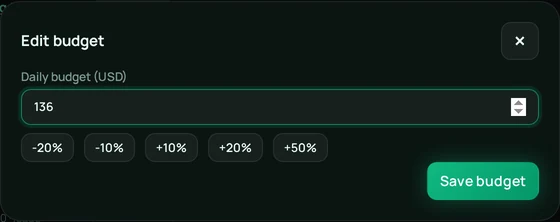
Edit budget dialog (sample data)Edit budget dialog (sample data)
04

Create and edit campaigns

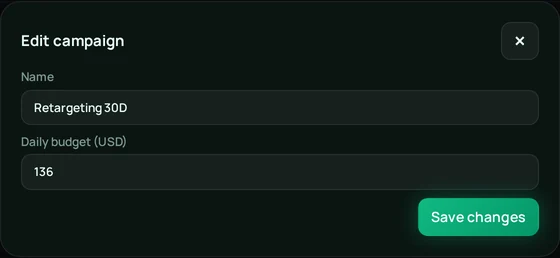
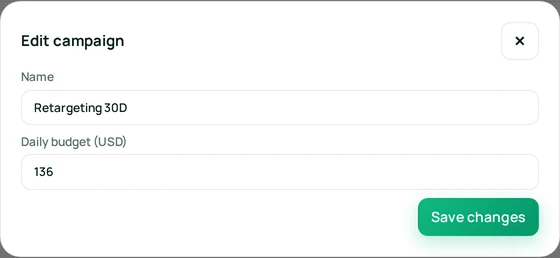
Set name, objective and budget. New campaigns, ad sets and ads start paused — nothing spends until you switch them on.
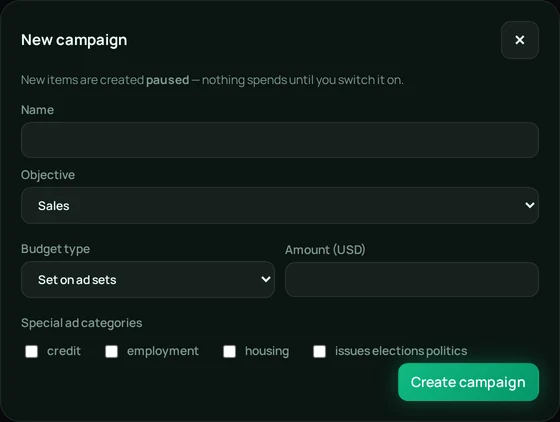
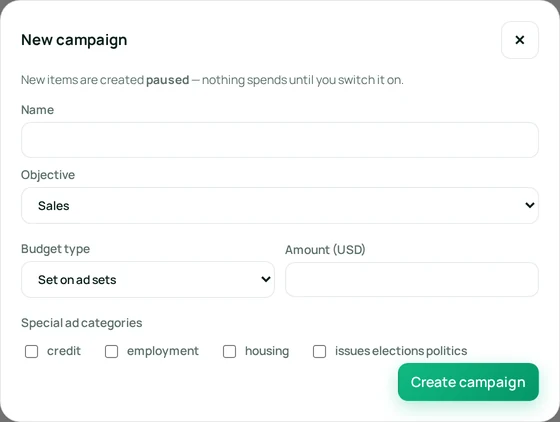
New campaign formNew campaign formEdit campaign dialog (sample data)Edit campaign dialog (sample data)
05

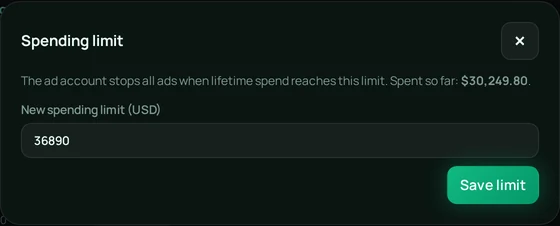
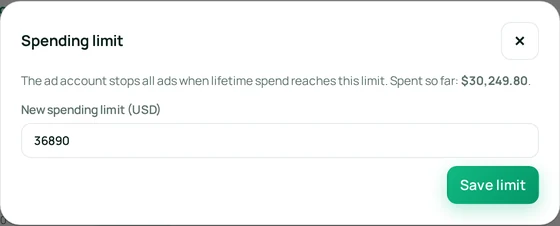
Ad account billing & spend limit

Amount owed, lifetime spend, spending limit and what’s left, plus the payment method. Set, reset or remove the limit.

Billing and spending limit panel (sample data)Billing and spending limit panel (sample data)Edit spending limit dialog (sample data)Edit spending limit dialog (sample data)

Screens and figures are sample data from the ProfitUp demo. Requires connecting your Meta ad account.

How profit works

Revenue isn't profit.
We show you the difference.

Revenue$22,022
−
COGS$5,972
Ad spend$9,195
Shipping & fees$3,325
Other$714
=
Net profit$2,81712.8% margin

Sample figures from the ProfitUp demo store

Get started

Live in three steps

01

Connect Shopify

Sign up and link one or more stores in a few clicks.

02

Add costs & ads

Enter product costs and fees, then connect Meta Ads.

03

Grow with real profit

See Net Profit, Margin and AOV update live — and act on it.

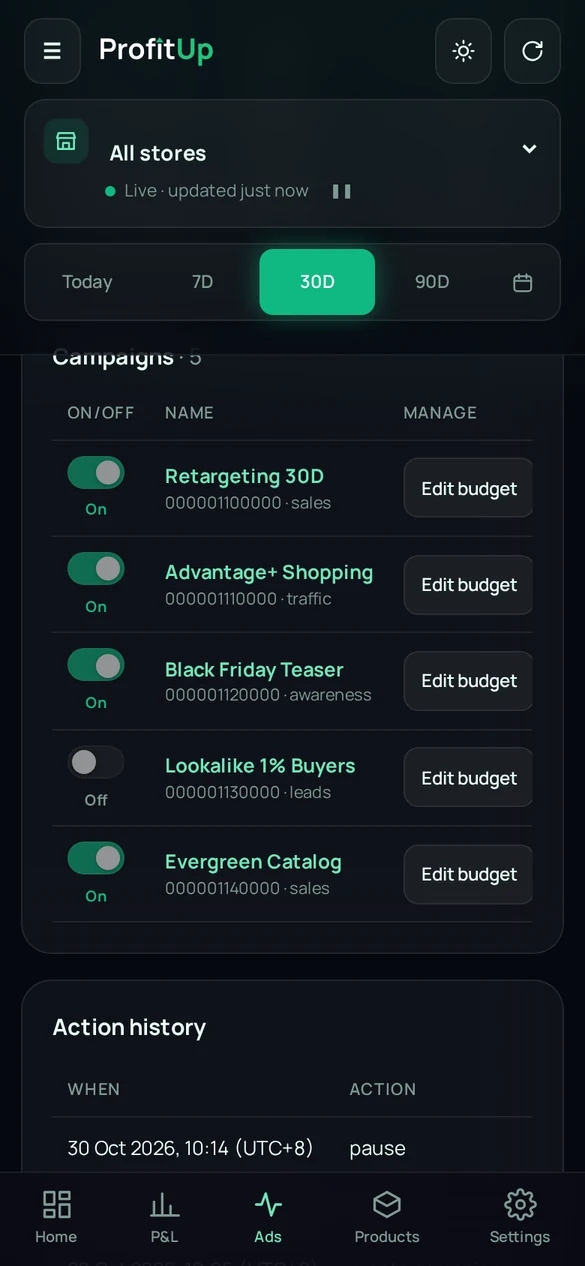
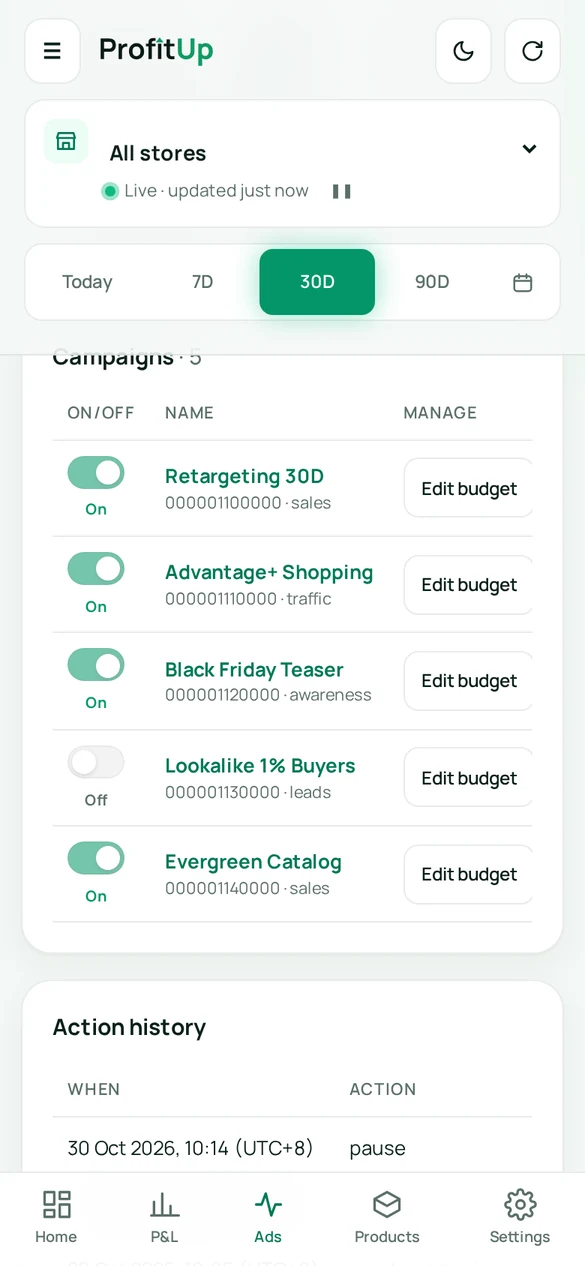
Mobile

Your profit, in your pocket

Fully optimised for phones: stacked P&L, pause ads with one tap, edit budgets anywhere. Light and dark mode follow your device.

Start free
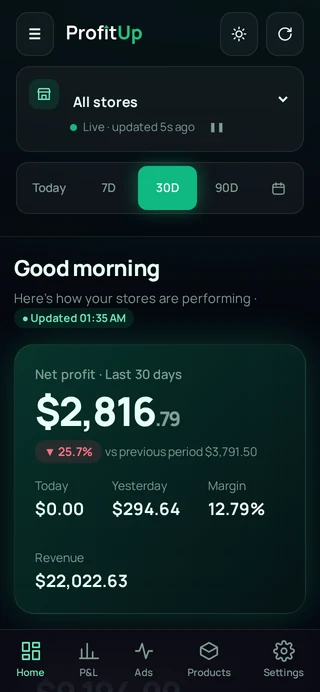
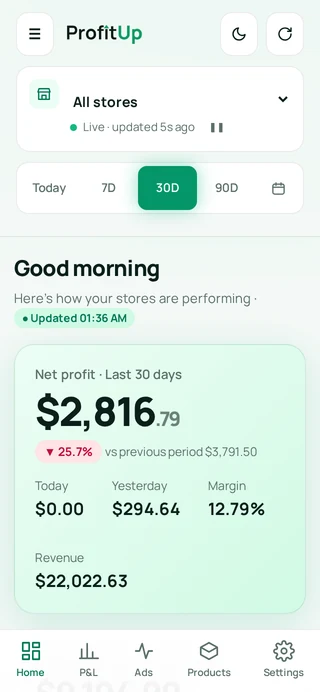
ProfitUp mobile dashboard, sample dataProfitUp mobile dashboard, sample data
ProfitUp Ads Manager on mobile, sample dataProfitUp Ads Manager on mobile, sample data
Profit calculator

What are you really making?

Drag the sliders for a quick estimate.

Revenue
Total costs
Estimated net profitMargin

Estimate includes 2.9% + $0.30 payment fees. Connect your store for real numbers.

Pricing

Simple pricing that pays for itself

14-day free trial on every plan.

Starter

$19$190/month/year

Up to 300 orders/mo · 1 store

  • Live profit dashboard
  • P&L and product profit
  • COGS, shipping, fees & custom costs
  • Meta ad-spend sync
Start free trial
Most popular

Growth

$39$390/month/year

Up to 1,000 orders/mo · 2 stores

  • Everything in Starter
  • Meta Ads Manager (view)
  • CSV import
  • Email reports Soon
Start free trial

Scale

$79$790/month/year

Up to 3,000 orders/mo · 5 stores

  • Everything in Growth
  • Full Meta Ads ManagerCreate & edit campaigns, edit budgets, pause/resume ads, ad account billing
  • Customer lifetime value Soon
  • Priority support
Start free trial

Pro

$149$1490/month/year

Up to 10,000 orders/mo · unlimited stores

  • Everything in Scale
  • Unlimited stores
  • Team members Soon
  • TikTok, Snapchat, Google & Pinterest ads Soon
Start free trial

More than 10,000 orders a month? Talk to us.

FAQ

Questions, answered

What does ProfitUp track?

Net Profit, Orders, Revenue, Costs, Margin, Ad Spend and AOV — plus a P&L report and cash flow.

Which platforms are supported?

Shopify for store data and Meta (Facebook & Instagram) for ads, including campaign and budget management.

Can I try before signing up?

Yes. The live demo uses sample stores and is read-only — nothing in it is real data.

Does it support multiple stores?

Yes, connect several Shopify stores and view them separately or combined.

How is my data connected and kept secure?

Your passwords are stored only as salted scrypt hashes. Meta connects through Facebook’s official login; Shopify connects with your store’s own app credentials. Access tokens stay on our server in a private file only the app can read, and are never sent to your browser. Each account’s stores and data are kept separate from every other account. You can disconnect Meta or remove a Shopify store at any time under Integrations.

Stop guessing. Know your profit.

Connect your Shopify store and see your real net profit today.

Already have an account? Sign in